The Best Notion Dark Mode Template
Notion Dark Mode isn’t just a visual preference, it’s a productivity upgrade.

By Kevechino
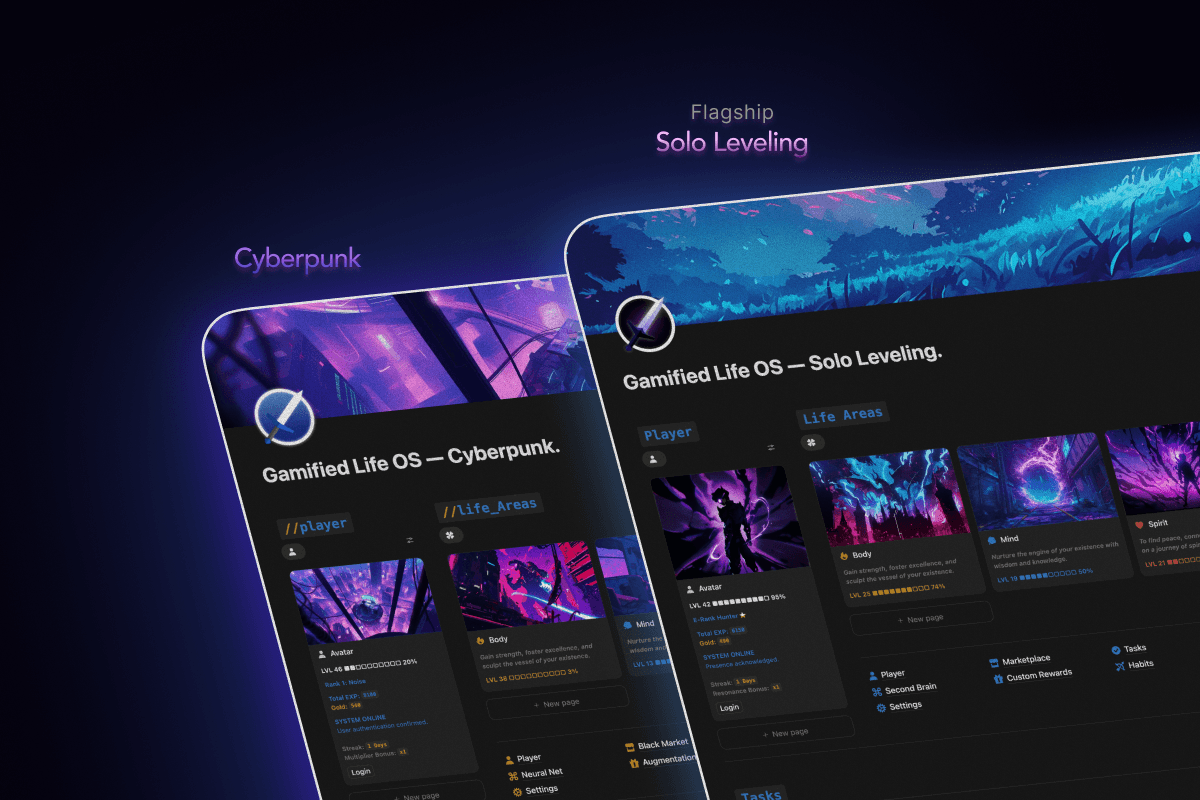
Notion Dark Mode isn’t just a visual preference, it’s a productivity upgrade. Pair it with Gamified Life OS, and you transform your workspace into a sleek, immersive environment that keeps you motivated, focused, and moving forward.
Why Dark Mode in Notion Matters
Dark Mode isn’t only about aesthetics. Here’s why it matters for productivity:
Reduces Eye Strain: Protect your eyes during long sessions of task management, studying, or habit tracking.
Boosts Focus: With less glare, your attention goes straight to what matters: your essential systems and goals.
Saves Battery Life: OLED/AMOLED users benefit from lower energy consumption.
Sleek, Minimalist Aesthetic: Dark Mode makes dashboards, trackers, and habit systems feel modern and clean.
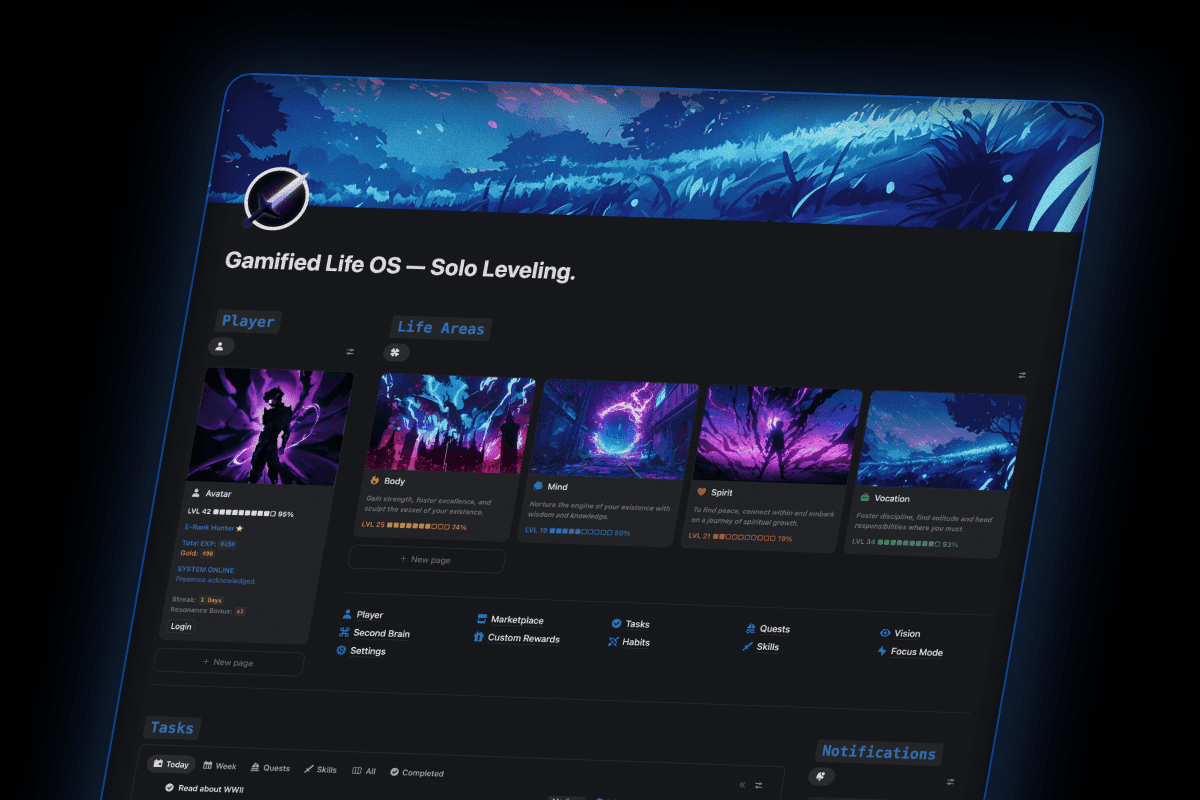
When combined with Gamified Life OS, Dark Mode highlights essential elements like tasks, points, badges, and streaks, ensuring your focus is on progress,not clutter.
How to Enable Dark Mode in Notion
Open Settings & Members in Notion.
Navigate to Appearance.
Select Dark or Use System Settings to sync automatically.
You can also use CMD + L (Mac) or CTRL + L (Windows)
Your workspace is now optimized for focus, clarity, and long productivity sessions.
Why Gamified Life OS Feels Even Better in Dark Mode

Gamified Life OS is designed to simplify productivity and make progress visible. Dark Mode enhances that experience:
Tasks and Points Pop: Your essential tasks and progress indicators stand out.
Visual Motivation: Streaks, and points, progress bars, and notifications are easier to scan and more satisfying to see.
Focus Your Energy: Less visual clutter means more mental bandwidth for leveling up your life.
Whether you’re tackling work, study, or personal growth, combining Dark Mode with Gamified Life OS makes your productivity system more immersive, motivating, and effective.
Tips for Using Dark Mode with Gamified Life OS
Highlight What Matters: Customize dashboards in Gamified Life OS so essential tasks stand out against a dark background.
Maintain Visual Contrast: Ensure progress bars, points, and habit grids are clear and readable.
Customize Your Theme: Dark Mode works best when paired with the right font and highlight colors.
Check Your Progress Often: Visual cues in Gamified Life OS are more impactful in Dark Mode—use them to reinforce consistency.
The Productivity Psychology Behind Dark Mode + Gamification
Dark Mode isn’t just easy on the eyes—it reinforces focus, motivation, and habit formation:
Calming Environment: Encourages long sessions of consistent effort without fatigue.
Immersive Gamification: Seeing points, badges, and streaks stand out in Dark Mode makes progress feel more tangible.
Boosts Habit Adherence: When your productivity system is visually satisfying, it’s easier to stick with routines.
With Gamified Life OS, Dark Mode turns everyday tasks into a game you actually want to play.
Next Steps: Level Up Your Notion Workspace
Ready to see the difference?
Duplicate Gamified Life OS into your Notion workspace.
Switch to Dark Mode.
Customize your dashboards, tasks, and badges to match your goals.
Start tracking progress, earning points, and leveling up your life.
Dark Mode + Gamified Life OS = a workspace that motivates, rewards, and keeps you moving forward every day.
Take the first step today, make your workspace sleek, functional, and game-ready.

Check out Gamified Life OS here 👉 Get Gamified Life OS
Related Articles
By Kevechino
The Best Notion Dark Mode Template
Notion Dark Mode isn’t just a visual preference, it’s a productivity upgrade.
By Kevechino
Boost Productivity in Notion with Gamified Life OS
Notion Dark Mode isn’t just a visual preference, it’s a productivity upgrade.